Why Model Choice Matters
Fauxto Labs brings together seventeen generation models and twelve editing models from six leading AI providers—Google, OpenAI, Black Forest Labs, ByteDance, Alibaba Cloud and Recraft AI—all accessible from a single platform. We do not train models of our own; our job is curating the best of what these labs ship and putting it behind one interface with one credit balance. Each model carries a distinct personality: some optimise for raw photorealism, others for artistic flair, design work, or resolution. Choosing the right one for a given brief can mean the difference between a passable draft and a production-ready hero image—while keeping your credit spend in check.
This guide covers every model available today. We walk through each provider, explain what makes their technology distinct, offer concrete recommendations for common use cases, and answer the questions our users ask most often. Whether you are publishing your first AI-generated social post or running a full commercial campaign, this is the reference to keep open.
Pricing ranges from 2 credits for a quick draft on Z Image to 30 credits for a 4K commercial print on Nano Banana Pro. Everything sits on one page at /image-generator, which opens on Nano Banana 2 by default, and the exact cost of your current settings is shown before you generate. The key is matching a model’s strengths to your project’s requirements—and this guide will show you how.

 GPT Image 1.5Nano Banana Pro
GPT Image & Nano Banana Pro
OpenAI’s GPT Image 2 is the newest OpenAI model on the platform and the one to beat for instruction following. It understands complex, multi-clause prompts with remarkable fidelity, renders text inside an image cleanly, and offers three quality tiers: Low (3 credits), Medium (8 credits) and High (30 credits). The High tier is what you want for large-format print and hero banners where every pixel matters. Its predecessor, GPT Image 1.5, is still available at Low (3), Medium (6) and High (25) if you prefer its look or the cheaper top tier.
Google’s Nano Banana Pro, powered by Gemini 3 Pro, leads the field in character consistency and resolution. Available at 1K (15 credits), 2K (20 credits) and 4K (30 credits), it is the model to reach for when identity preservation across a series of images is non-negotiable—think product campaigns, fashion lookbooks, or any project where the same person must appear in every frame. It is also the strongest option on the platform for typography and text inside an image.
The FLUX Family
Black Forest Labs—the team behind Stable Diffusion—supplies four generation models on Fauxto Labs, spanning two generations: the original FLUX 1 and the newer FLUX 2 family. (Their two editing models, FLUX Edit and FLUX Edit Pro, are covered further down.) Understanding when to reach for one over another is the fastest way to improve your output quality while managing costs.
FLUX 2 Pro — Maximum Quality
FLUX 2 Pro is the premium tier at 8 credits per image, and it is where FLUX’s reputation for texture lives: skin, fabric, metal and surface detail that survives close inspection. It is built for professional photography, commercial work and fine detail rendering. Note that it generates one image at a time rather than a batch, so plan on iterating deliberately rather than fanning out four variations at once.
FLUX 2 Flex — Versatile Middle Ground
At 6 credits, FLUX 2 Flex sits between FLUX 2 and FLUX 2 Pro and is the most stylistically adaptable of the family—equally comfortable with artistic and photographic briefs. Like FLUX 2 Pro, it returns a single image per run. Reach for it when you want more range than a straight photoreal model gives you without paying the top-tier price.
FLUX 2 — The Everyday Workhorse
FLUX 2 is the standard second-generation model at 5 credits, and it is the right default for anyone who specifically wants the FLUX look. Strong general photorealism, dependable prompt adherence, and up to four images per generation make it well suited to social assets, blog illustration, concept work and product mockups.
FLUX 1 — Raw Photorealism
FLUX 1—which you may have seen referred to as FLUX SRPO, the same model under its older name—is the previous generation, still available at 5 credits. It strips away the polish and delivers raw, authentic photorealism: lifestyle photography, documentary-style imagery, natural portraits, product shots. The images feel like they were captured by a skilled photographer on location rather than composited in a studio. If your brief calls for “real” rather than “perfect”, FLUX 1 is still a smart, cheap choice.
Google’s Nano Banana Family
Nano Banana is Google’s image model, not ours, and it is the backbone of the platform: four variants, and the default that the Image Generator opens on. Nano Banana Pro runs on Gemini 3 Pro at 15 credits for 1K, 20 for 2K and 30 for 4K. Nano Banana 2 is the default all-rounder at 10 / 15 / 20 across the same three resolutions—fast, sharp, and accurate enough that most projects never need to leave it.
Below those, Nano Banana 2 Lite gives you Google quality at 1K for 6 credits, which makes it the obvious pick for high-volume work and quick drafts. The original Nano Banana, powered by Gemini 2.5 Flash, remains at 7 credits and is marked legacy—keep it if you liked its particular look, but start new work on Nano Banana 2. One quirk worth knowing across the whole family: they support ten of the platform’s eleven aspect ratios, everything except 9:21.
The family’s standout capability is character consistency, and it shows up in edit mode rather than in text-to-image. Give Nano Banana Pro one good reference image and describe a new pose, outfit or scene, and it holds the likeness across the set—no training step, no fine-tuning. For brands that need a recognisable face across dozens of assets, that is the most efficient path to consistent results on the platform.
All these models, one platform
Nano Banana, GPT Image, FLUX, Seedream, Qwen, Recraft and more — switch between 17 generation models without leaving the page.
Seedream, Dreamina, Qwen & Beyond
ByteDance contributes two strong creative models. Seedream 4.5 (5 credits) produces native high-resolution output and excels at stylised artwork, fantasy and creative concepts. Dreamina 3.1 (6 credits) leans further into artistic interpretation with vibrant, imaginative aesthetics—the better pick for illustration and concept art.
Alibaba Cloud contributes three Qwen tiers: Qwen Image 2 Pro (10 credits) for detailed scenes and text in images, Qwen Image 2 (5 credits) for balanced quality at low cost, and the legacy Qwen Image (4 credits) for cheap iteration. Recraft 3 from Recraft AI (6 credits, one image per run) stands apart with a built-in style picker full of curated design styles, making it the top choice for brand assets, icons and vector-style art. And the best value on the whole platform is Z Image from Alibaba’s Tongyi lab at just 2 credits—genuinely hyper-real output for the price of a rounding error, which makes it the right tool for high-volume batches and concept testing.
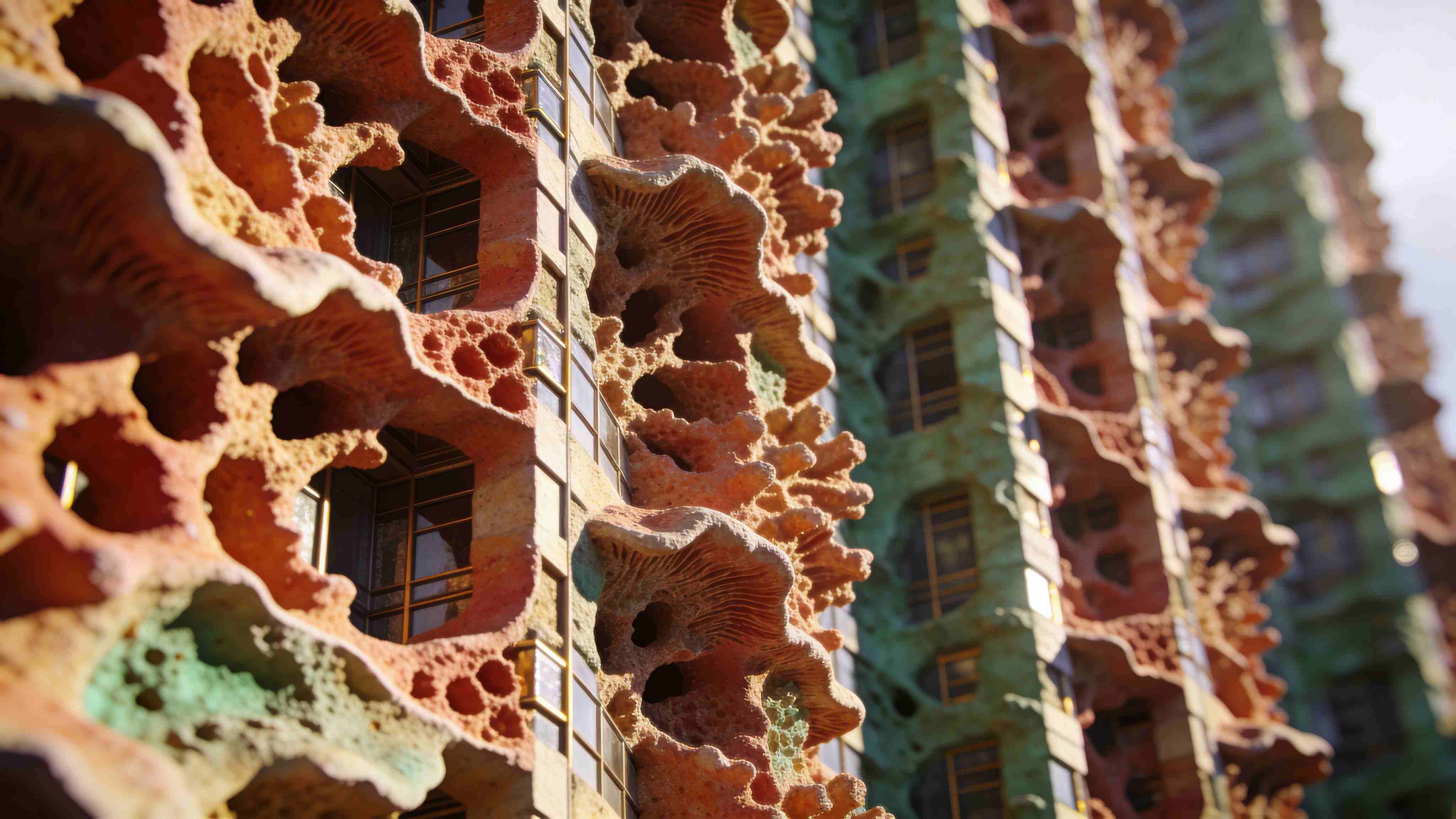
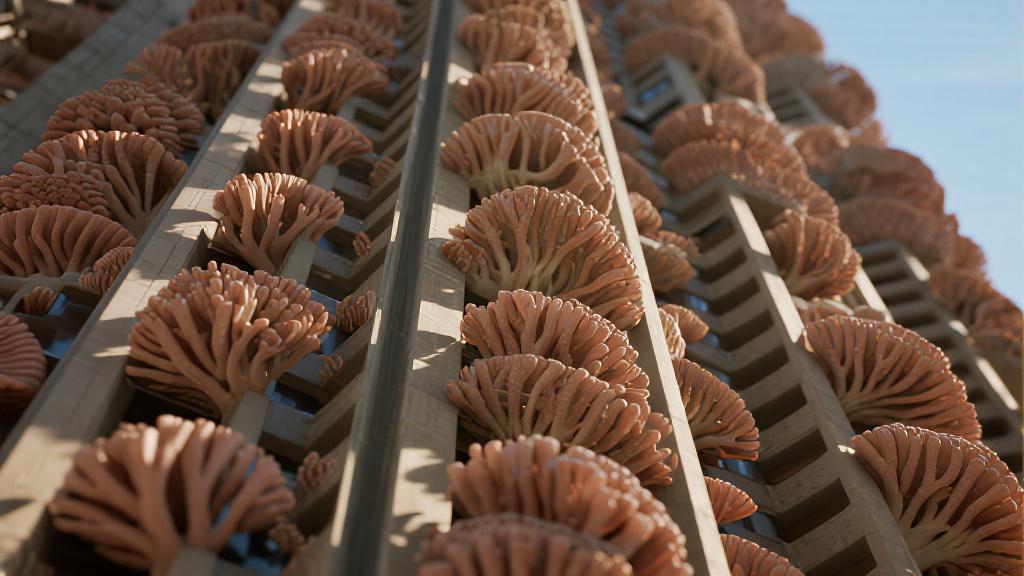 Dreamina 3.1Seedream 4.5
Generation Models at a Glance
The table below summarises every image generation model available on Fauxto Labs. Use it as a quick reference when choosing the right model for your project.
| Model | Provider | Credits | Best For |
|---|---|---|---|
| Nano Banana Pro | Google (Gemini 3 Pro) | 15 (1K) / 20 (2K) / 30 (4K) | Top-tier photorealism, character work, typography, commercial print |
| Nano Banana 2 | 10 (1K) / 15 (2K) / 20 (4K) | The default — everyday generation, photorealism, prompt accuracy | |
| Nano Banana 2 Lite | 6 (1K only) | High-volume work, quick drafts, cheap iteration | |
| Nano Banana (legacy) | Google (Gemini 2.5 Flash) | 7 | The original Nano Banana look — prefer Nano Banana 2 for new work |
| GPT Image 2 | OpenAI | 3 Low / 8 Medium / 30 High | Instruction following, complex compositions, text rendering |
| GPT Image 1.5 | OpenAI | 3 Low / 6 Medium / 25 High | Photorealistic images, creative concepts, professional content |
| FLUX 2 Pro | Black Forest Labs | 8 | Professional photography, fine detail and texture (single image) |
| FLUX 2 Flex | Black Forest Labs | 6 | Versatile styles, artistic and photographic work (single image) |
| FLUX 2 | Black Forest Labs | 5 | General photorealism, prompt adherence, everyday FLUX work |
| FLUX 1 (FLUX SRPO) | Black Forest Labs | 5 | Realistic portraits, product shots, natural scenes |
| Seedream 4.5 | ByteDance | 5 | Artistic illustration, fantasy, stylised art, native high-res |
| Dreamina 3.1 | ByteDance | 6 | Creative illustrations, vibrant artwork, imaginative concepts |
| Qwen Image 2 Pro | Alibaba Cloud | 10 | Detailed scenes, text in images, premium Qwen quality |
| Qwen Image 2 | Alibaba Cloud | 5 | Balanced quality at low cost, high-volume creative work |
| Qwen Image (legacy) | Alibaba Cloud | 4 | Cheap iteration — prefer Qwen Image 2 |
| Z Image | Tongyi / Alibaba | 2 | Best value on the platform — hyper-real looks, high-volume batches |
| Recraft 3 | Recraft AI | 6 | Brand assets, vector-style art, icons, style picker (single image) |
Controls Every Model Shares
Whichever model you pick, the surrounding controls stay the same. There are eleven aspect ratios—1:1, 4:3, 3:4, 3:2, 2:3, 16:9, 9:16, 21:9, 9:21, 2:1 and 1:2—and the Nano Banana models support all of them except 9:21. You can request 1 to 4 images per generation, with FLUX 2 Pro, FLUX 2 Flex and Recraft 3 the exceptions that return a single image. Prompts are capped around 2,000 characters, with a counter that warns you as you approach the limit.
There is also an Enhance button that rewrites your prompt with AI before you generate—useful when you have a thin idea and want the model to fill in photographic detail. And because the credit cost varies with model, resolution and output count, the page always shows the exact cost of your current settings before you commit.
Image Editing Models
Generation creates from scratch; editing refines what already exists. Editing is not a separate product—it is a mode inside the same tool. Flip the toggle on the Image Generator or go straight to /image-generator?mode=edit, upload an image (or open one from your Library), and describe the change in plain language. The older standalone image editing page has been retired.
Twelve models are available in edit mode, and it opens on Nano Banana 2 just like generation does. You can attach up to 6 reference images (the Qwen edit models accept 3) and produce 1 to 4 outputs per edit, with FLUX Edit Pro the exception at a single image. Between them these models handle background and lighting changes, adding or removing people and objects, replacing a character while keeping the scene, putting the same subject into a brand new pose, style transfers, and full scene transformations.
Nano Banana Pro & Nano Banana 2
Nano Banana Pro (15 / 20 / 30 credits by resolution) is best-in-class for character likeness—maintaining identity through new poses and styles, handling multi-character scenes, and holding up for professional and commercial edits. For everything else, Nano Banana 2 (10 / 15 / 20) is the default and an excellent all-purpose editor with strong instruction following. Below them, Nano Banana 2 Lite (6 credits at 1K) is the cheapest quality edit for volume work and quick fixes, and the legacy Nano Banana (7 credits) remains for anyone who prefers it.
GPT Image 2 & GPT Image 1.5
GPT Image 2 (3 / 8 / 30 credits by quality) is the one to use for complex multi-step instructions, compositional edits, and any change involving text or signage inside the image—it follows a long list of instructions better than anything else in edit mode. GPT Image 1.5 (3 / 6 / 25) covers creative transformations and multi-image reference edits at a lower top-tier price.
FLUX Edit Pro & FLUX Edit
FLUX Edit Pro (10 credits, single output) is the premium detail-preserving option, built for texture and material accuracy—the right choice when the edit has to survive close inspection. FLUX Edit (7 credits) handles context-aware edits, style transfers, and general FLUX-look editing at a lower cost.
Seedream 4.5 & the Qwen Edit Models
Seedream 4.5 (8 credits) is purpose-built for multi-input work—fusing several reference images into one coherent result, which is exactly what you want when combining a character from one photo with a setting from another. The Qwen tiers cover the budget end and cap out at 3 reference images: Qwen Image 2 Pro (10 credits) for premium Qwen editing, Qwen Image 2 (5 credits) for capable everyday edits, and the legacy Qwen Image (6 credits).
One adjacent tool worth knowing: for anime styling specifically, Ghiblify (8 credits) does the whole transformation in one click without a prompt.
| Model | Provider | Credits | Best For |
|---|---|---|---|
| Nano Banana Pro | Google (Gemini 3 Pro) | 15 (1K) / 20 (2K) / 30 (4K) | Character likeness, new poses, multi-character scenes, commercial edits |
| Nano Banana 2 | 10 (1K) / 15 (2K) / 20 (4K) | The default — all-purpose editing, backgrounds, people, objects | |
| Nano Banana 2 Lite | 6 | Cheapest quality edit at 1K — volume work and quick fixes | |
| Nano Banana (legacy) | Google (Gemini 2.5 Flash) | 7 | Reliable general editing — prefer Nano Banana 2 |
| GPT Image 2 | OpenAI | 3 Low / 8 Medium / 30 High | Multi-step instructions, compositional edits, text and signage |
| GPT Image 1.5 | OpenAI | 3 Low / 6 Medium / 25 High | Creative transformations, multi-image reference edits |
| FLUX Edit Pro | Black Forest Labs | 10 | Detail-preserving edits, texture and material accuracy (single output) |
| FLUX Edit | Black Forest Labs | 7 | Context-aware edits, style transfers, general FLUX-look editing |
| Seedream 4.5 | ByteDance | 8 | Blending and fusing several reference images together |
| Qwen Image 2 Pro | Alibaba Cloud | 10 | Premium Qwen editing (max 3 reference images) |
| Qwen Image 2 | Alibaba Cloud | 5 | Budget-friendly capable editing (max 3 reference images) |
| Qwen Image (legacy) | Alibaba Cloud | 6 | Legacy Qwen editing (max 3 reference images) |

Recommendations by Use Case
Not sure where to start? For professional headshots, Nano Banana Pro (15–30 credits by resolution) delivers the strongest photorealism on the platform. If character consistency is critical, use it in edit mode: one good reference image plus a description of the new pose or scene, and it holds the likeness across the whole set—no training involved, because we do not offer custom model or LoRA training. Nano Banana 2 (10 credits at 1K) does the same job well for less.
For quick iterations, Z Image (2 credits) and Nano Banana 2 Lite (6 credits) let you explore cheaply before committing. Commercial print projects want Nano Banana Pro at 4K (30 credits) or GPT Image 2 on High (30 credits). Artistic and fantasy work pairs well with Seedream 4.5 (5 credits) or Dreamina 3.1 (6 credits). Need text in images? Nano Banana Pro, GPT Image 2 and Qwen Image 2 Pro are the three to try. For logos, icons and vector-style brand assets, Recraft 3 (6 credits) and its style picker are purpose-built. And for a recurring social persona, Influencer Studio in The Lab keeps one character consistent across an entire content set.
AI Provider Overview
Fauxto Labs aggregates the best AI models from leading providers worldwide—we do not train any of them ourselves. Each provider brings a distinct technological philosophy and set of strengths, and knowing whose model you are using explains a lot about how it behaves.
OpenAI (GPT Image 2, GPT Image 1.5) excels at prompt understanding and creative interpretation—give it a complex, multi-sentence brief and it will follow every clause. Google (Nano Banana Pro, Nano Banana 2, Nano Banana 2 Lite, Nano Banana) leads the field in character consistency and multimodal understanding, leveraging the Gemini architecture to process text and images simultaneously. Nano Banana is Google’s model, not ours—we simply make it available at a per-image credit price.
Black Forest Labs (FLUX 2 Pro, FLUX 2 Flex, FLUX 2, FLUX 1, plus FLUX Edit and FLUX Edit Pro) offers the widest range of specialised models with best-in-class texture and photorealism. ByteDance (Seedream 4.5, Dreamina 3.1) delivers strong artistic styles and creative interpretation. Alibaba Cloud (the Qwen Image family, plus Z Image from its Tongyi lab) provides excellent value with solid quality for high-volume work. And Recraft AI (Recraft 3) stands apart with a curated style picker aimed squarely at design and vector work.
Frequently Asked Questions
Which model should I use if I’m just starting out?
Stay on the default. Nano Banana 2 (10 credits at 1K) is what the Image Generator opens on, and it is the best all-rounder in the lineup. For quick tests, Z Image (2 credits) is the cheapest option on the platform and still surprisingly realistic. Once you know what works, step up to Nano Banana Pro or GPT Image 2 on High for the final version.
What’s the difference between generation and editing models?
Generation models create new images from a text description; editing models change an image you already have. They live in the same place—the Image Generator has a mode toggle, and edit mode is also reachable directly at /image-generator?mode=edit. Several models appear on both lists, including the Nano Banana family, GPT Image 2 and Seedream 4.5, though the credit price can differ between modes.
How do I get consistent characters across multiple images?
Use edit mode with Nano Banana Pro (15–30 credits by resolution). Upload one good reference image, describe the new pose, outfit or scene, and it preserves the likeness. Nano Banana 2 (10 credits at 1K) is a solid cheaper alternative. There is no training step—Fauxto Labs does not offer custom model or LoRA training. If you want a recurring social persona rather than one-off edits, Influencer Studio in The Lab is built around exactly that.
Which model produces the highest resolution?
Nano Banana Pro and Nano Banana 2 both offer a 4K tier—30 credits and 20 credits respectively. GPT Image 2 on High (30 credits) also produces excellent detail, and Seedream 4.5 outputs natively at high resolution for 5 credits. If you already have an image you want bigger, the Upscale tool (5 credits per image) enlarges it 2x or 4x rather than regenerating it.
What’s the cheapest way to iterate on an idea?
Z Image at 2 credits, and it is not a downgrade—the output is genuinely realistic. After that, Qwen Image (4 credits), FLUX 2 (5), Qwen Image 2 (5), Seedream 4.5 (5) and Nano Banana 2 Lite (6) are all inexpensive. Requesting up to 4 images per generation is also more efficient than running the same prompt four times.
Can I use these images commercially?
Yes! All images generated on Fauxto Labs include full commercial rights. You can use them for marketing, products, advertising, and any commercial purpose without attribution required.
How do model providers differ?
OpenAI (GPT Image 2, GPT Image 1.5) excels at following complex prompts and rendering text. Google (the Nano Banana family) leads in character consistency and is the platform default. Black Forest Labs (the FLUX family) offers the best texture and photorealism. ByteDance (Seedream 4.5, Dreamina 3.1) excels at artistic styles. Alibaba Cloud (Qwen Image, Z Image) delivers the best value per credit. Recraft AI (Recraft 3) owns design and vector work.
What’s the best value model overall?
Purely on price per image, Z Image (2 credits) wins outright. On overall balance of quality and cost, Nano Banana 2 (10 credits at 1K) is the strongest pick, which is why it is the default. In between, Nano Banana 2 Lite (6), FLUX 2 Flex (6), Dreamina 3.1 (6), Recraft 3 (6) and GPT Image 2 on Medium (8) all sit in a very usable middle tier. For editing, Nano Banana 2 Lite (6 credits) is the cheapest quality option.
What happened to FLUX Krea, FLUX Ultra, FLUX Kontext and Recraft V3?
They have been retired or renamed, so if you are searching for those names, here is where they went. FLUX Krea and FLUX Ultra were replaced by the FLUX 2 family: FLUX 2 (5 credits) for everyday work, FLUX 2 Flex (6) for stylistic range, and FLUX 2 Pro (8) as the premium tier Ultra used to fill. FLUX Kontext was replaced by FLUX Edit (7 credits) and FLUX Edit Pro (10 credits) in edit mode. FLUX SRPO is not a separate product—it is the older name for FLUX 1, still available at 5 credits. Recraft V3 is now simply Recraft 3 (6 credits), and Z Image Turbo is listed as Z Image at 2 credits.
Can I train a custom model or LoRA on my own images?
No—custom model and LoRA training are not currently offered, and the old FLUX LoRA and Character Creator pages have been retired. Reference-based editing replaced that workflow and is faster in practice: use edit mode with Nano Banana Pro and a single reference image to keep a subject consistent across new poses and scenes. For a recurring persona with a whole content set behind it, use Influencer Studio in The Lab.
Where did the separate image editing page go?
The standalone image editing page has been retired. Editing is now a mode inside the Image Generator—use the toggle on the page, or open /image-generator?mode=edit directly. Everything that was there is still there, plus the full twelve-model edit lineup and up to 6 reference images per edit.
Ready to Create?
Access all these AI models in one platform. Generate stunning images from text, edit existing photos with precision, and produce commercial-grade visuals—no credit card required, and every image includes a full commercial licence.
Start Generating Free