What You'll Learn
This guide covers everything you need to go from zero to confidently generating AI images. Whether you're a designer exploring new tools, a marketer building assets, or a hobbyist experimenting with creative AI — these fundamentals will get you producing quality results fast.
- How AI image generation actually works
- Which models are on the platform, and what each one costs
- Writing effective prompts for better results
- Choosing the right model for your needs
- The settings that shape every generation — aspect ratio, resolution, output count
- Editing an image you already have, and keeping a character consistent
Understanding AI Image Generation
AI image generation uses advanced machine learning models to create images from text descriptions. These models have been trained on millions of images and can understand complex visual concepts, artistic styles, and photographic techniques.
How It Works
The generation pipeline breaks down into four stages. First, text processing — the AI analyzes your written prompt to understand what you want. Second, concept mapping — it maps text concepts to visual elements from its training data. Third, image synthesis — the model generates pixels that match your description. Finally, refinement — multiple passes improve quality and coherence, producing the final output.
Understanding this pipeline helps you write better prompts. The more specific and structured your text input, the more precisely the model can map your intent to visual output — and the better your final image will be.
Available AI Models
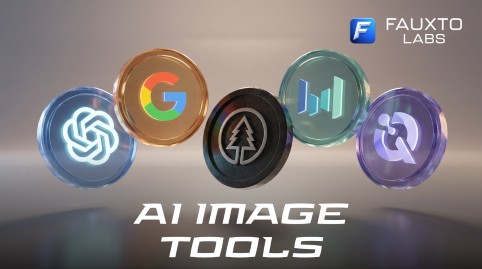
Fauxto Labs doesn't build its own models. We aggregate the best ones from Google, OpenAI, Black Forest Labs, ByteDance, Alibaba Cloud and Recraft AI, and put all seventeen of them behind a single prompt box at /image-generator. Switching models is a dropdown, not a new account.
If you're not sure where to begin, don't overthink it: the generator opens on Nano Banana 2 (Google) by default, and it's the best all-rounder in the lineup. The table below breaks down every option so you know what else is there. The exact credit cost for your current settings is always shown on the page before you hit generate.
| Model | Credits | Best For |
|---|---|---|
| Nano Banana Pro (Google) | 15 (1K) / 20 (2K) / 30 (4K) | Highest quality photorealism, character work, text and typography, commercial jobs |
| Nano Banana 2 (Google) | 10 (1K) / 15 (2K) / 20 (4K) | The default model — sharp, accurate, best balance of price and quality |
| Nano Banana 2 Lite (Google) | 6 | Google quality at 1K only — quick drafts and cheap iteration |
| Nano Banana (Google) | 7 | Legacy Gemini 2.5 Flash model — prefer Nano Banana 2 for new work |
| GPT Image 2 (OpenAI) | 3 Low / 8 Medium / 30 High | Instruction following, complex compositions, text rendering, creative concepts |
| GPT Image 1.5 (OpenAI) | 3 Low / 6 Medium / 25 High | Photorealistic images, creative concepts, professional content |
| Z Image (Tongyi / Alibaba) | 2 | Cheapest model on the platform and surprisingly hyper-real — ideal for rapid iteration |
| FLUX 2 Pro (Black Forest Labs) | 8 | Professional photography, fine detail and texture (one image at a time) |
| FLUX 2 Flex (Black Forest Labs) | 6 | Versatile artistic and photographic styles (one image at a time) |
| FLUX 2 (Black Forest Labs) | 5 | General photorealism, prompt adherence, everyday FLUX work |
| FLUX 1 (Black Forest Labs) | 5 | Previous-gen FLUX — realistic portraits, product shots, natural scenes |
| Seedream 4.5 (ByteDance) | 5 | Artistic illustration, fantasy and stylized art, native high-res output |
| Dreamina 3.1 (ByteDance) | 6 | Vibrant illustration and imaginative concept work |
| Qwen Image 2 Pro (Alibaba Cloud) | 10 | Detailed scenes, text in images, premium Qwen quality |
| Qwen Image 2 (Alibaba Cloud) | 5 | Balanced quality at low cost, high-volume creative work |
| Qwen Image (Alibaba Cloud) | 4 | Legacy Qwen — cheap iteration |
| Recraft 3 (Recraft AI) | 6 | Brand assets, vector-style art and icons, with a built-in style picker (one image at a time) |
A Simple Starting Point
Seventeen options is a lot, so here is the short version. Stay on Nano Banana 2 while you learn — it's the default for a reason. When you're throwing away most of what you generate, drop to Z Image at 2 credits and burn through ideas cheaply. When a shot is going in front of a client or on a printed page, step up to Nano Banana Pro at 2K or 4K, or GPT Image 2 on High.
After that it's about matching a model to the job. Illustration and fantasy work suits Seedream 4.5 or Dreamina 3.1. Logos, icons and vector-style brand assets belong to Recraft 3 and its style picker. Text and signage inside an image is strongest on Nano Banana Pro, GPT Image 2 and Qwen Image 2 Pro. And if you want the FLUX look — crisp texture, natural light — FLUX 2 at 5 credits is the entry point, with FLUX 2 Pro at 8 for the premium version.
17 image models, one prompt box
Google, OpenAI, Black Forest Labs, ByteDance, Alibaba Cloud and Recraft AI — switch models from a dropdown and never leave the page.
Writing Effective Prompts
The prompt is your primary tool for communicating with AI models. A well-crafted prompt can mean the difference between a mediocre image and a masterpiece. Structure matters just as much as vocabulary.
The formula is straightforward: combine a Subject, an Action or Pose, a Setting, and a Style or Mood. Layering these elements gives the model enough context to produce coherent, visually rich output every time.
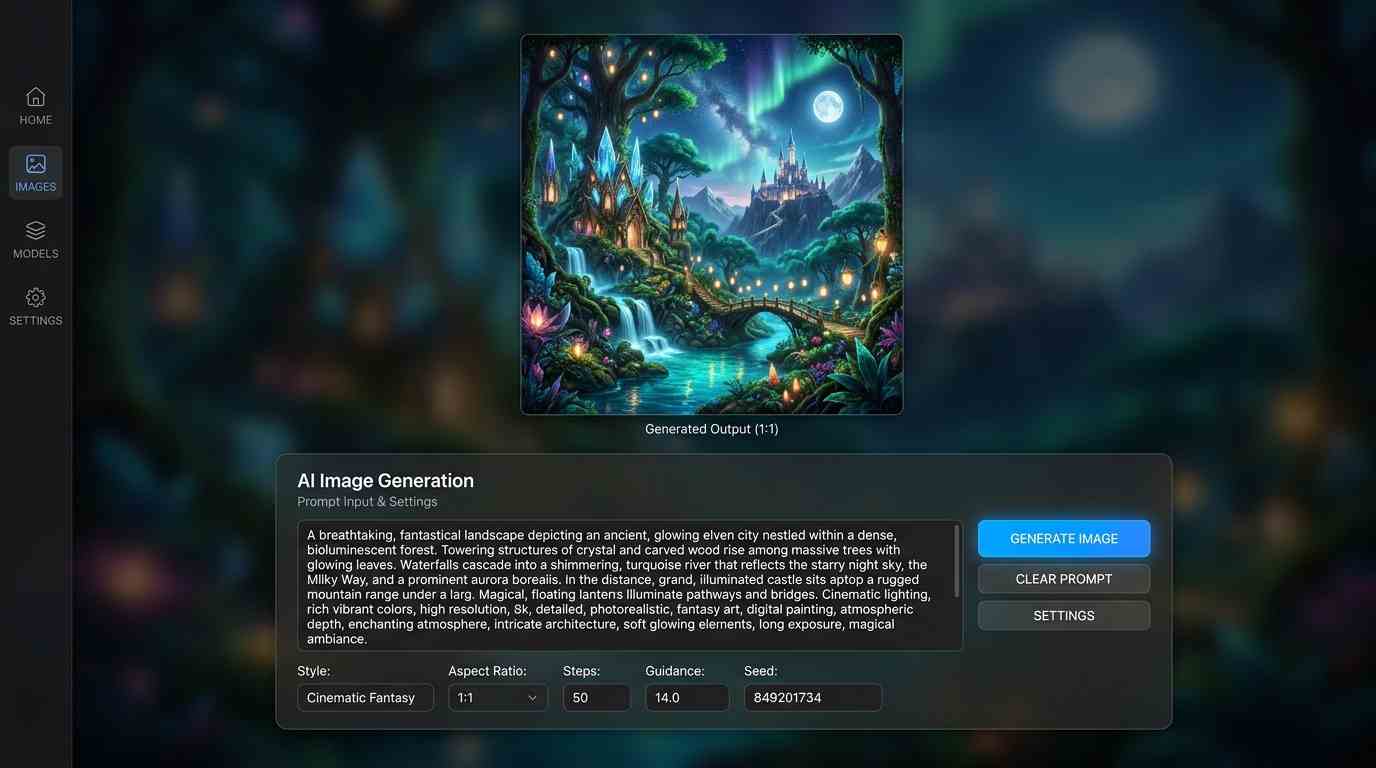
Prompt Structure Formula
Examples by Skill Level
Beginner: "A cute cat sitting on a windowsill"
Intermediate: "A professional woman in a business suit giving a presentation in a modern conference room, confident pose, natural lighting"
Advanced: "Portrait of an elderly craftsman in his workshop, weathered hands holding antique tools, warm golden hour lighting streaming through dusty windows, cinematic depth of field, 85mm lens, highly detailed, photorealistic"
Notice how each tier adds more specificity. The advanced prompt controls subject, environment, lighting, lens simulation, and rendering intent — giving the model a complete blueprint to work from.
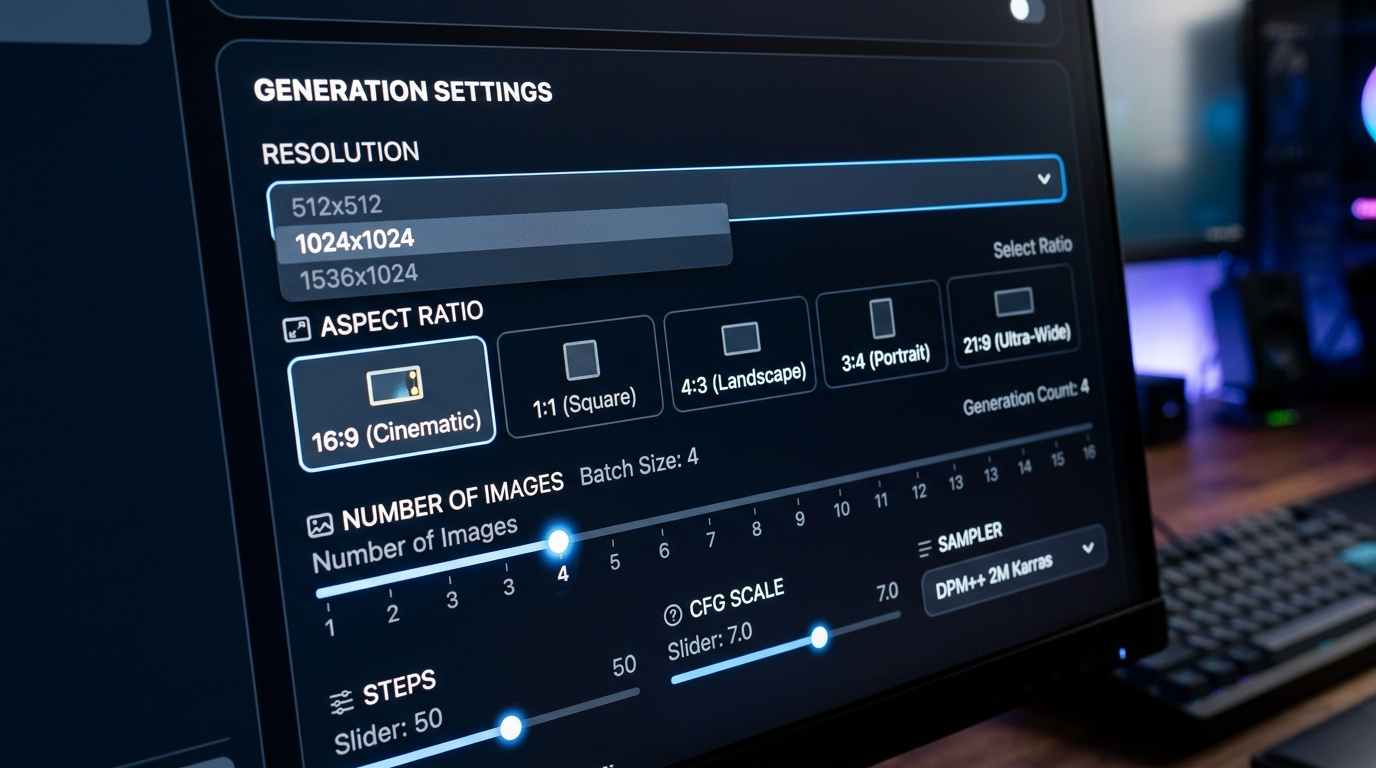
Settings That Shape Every Generation
Beyond the prompt, four controls do most of the work. Aspect ratio gives you eleven choices — 1:1, 4:3, 3:4, 3:2, 2:3, 16:9, 9:16, 21:9, 9:21, 2:1 and 1:2 — so pick the shape of the final placement before you generate rather than cropping later. (The Nano Banana models are the one exception: they support every ratio except 9:21.)
Output count lets you request 1 to 4 images at once, which is the fastest way to explore a prompt — though FLUX 2 Pro, FLUX 2 Flex and Recraft 3 return a single image per run. Resolution or quality is where the price moves: the Nano Banana models charge by 1K, 2K or 4K, and the GPT Image models by Low, Medium or High. Finally, the Enhance button rewrites a thin prompt into a fuller one for you — a genuinely useful crutch while you're learning what detail is worth adding.
One practical limit: prompts cap out around 2,000 characters, and a counter warns you as you get close. That's far more room than you need — long prompts tend to dilute rather than sharpen.
Editing an Image You Already Have
Generating from a blank prompt box is only half of the workflow. Once you have an image — or a photo of your own — editing lives in the same tool: flip the mode toggle on the Image Generator, or go straight to /image-generator?mode=edit. Upload a picture (or open one from your Library), describe the change in plain language, and generate. You can attach up to 6 reference images, and ask for 1 to 4 versions of the edit at a time.
Edit mode opens on Nano Banana 2 too, and it handles most requests — backgrounds, weather, lighting, adding or removing people and objects. Reach for Nano Banana Pro when likeness matters, GPT Image 2 for multi-step instructions or changing text and signage, FLUX Edit for style transfers, and Seedream 4.5 when you're blending several reference images into one picture.
Keeping the Same Character Across Images
This is the single most common beginner question, and the answer is simpler than it used to be: you don't train anything. Fauxto Labs does not offer custom model or LoRA training. Instead, take one good image of your character and use it as the reference in edit mode with Nano Banana Pro, then describe the new pose, outfit or scene. It is the strongest model on the platform for holding a likeness, and Nano Banana 2 does a good job for less.
If what you actually want is a recurring social persona with a whole content set behind it, use Influencer Studio in The Lab, which is built around keeping one character consistent across many photos.
Frequently Asked Questions
Common questions about AI image generation on Fauxto Labs.
What AI image models does Fauxto Labs offer?
Seventeen generation models, all on the Image Generator: Nano Banana Pro (15/20/30 credits by resolution), Nano Banana 2 (10/15/20), Nano Banana 2 Lite (6) and Nano Banana (7) from Google; GPT Image 2 (3/8/30 by quality) and GPT Image 1.5 (3/6/25) from OpenAI; FLUX 2 Pro (8), FLUX 2 Flex (6), FLUX 2 (5) and FLUX 1 (5) from Black Forest Labs; Seedream 4.5 (5) and Dreamina 3.1 (6) from ByteDance; Qwen Image 2 Pro (10), Qwen Image 2 (5) and Qwen Image (4) from Alibaba Cloud; Z Image (2) from Tongyi; and Recraft 3 (6) from Recraft AI. Fauxto Labs does not build models of its own — we aggregate them and show you the exact credit cost before you generate.
Which model should I start with as a beginner?
Nano Banana 2 — it is the default on the Image Generator and the best all-rounder for everyday work at 10 credits for 1K. Use Z Image (2 credits) when you want to iterate cheaply, and step up to Nano Banana Pro or GPT Image 2 on High when the image is final.
Which model should I use for photorealistic images?
Nano Banana Pro is the strongest choice for photorealism, with Nano Banana 2 close behind at a lower price. Z Image is remarkably realistic for 2 credits, and FLUX 2 Pro (8 credits) is excellent for fine detail and texture in professional photography.
How do I write better prompts for AI images?
Structure your prompts with: Subject + Action/Pose + Environment + Style + Technical details. For example: "Professional woman, confident pose, modern office, corporate headshot style, 85mm lens, soft lighting, high detail." Be specific about lighting, composition, and mood. If you get stuck, the Enhance button on the Image Generator will rewrite your prompt for you.
Can I create consistent characters across multiple images?
Yes, and no training is involved — Fauxto Labs does not offer custom model or LoRA training. Use edit mode at /image-generator?mode=edit with Nano Banana Pro, upload your character as a reference image, and describe the new pose, outfit or scene. Nano Banana Pro is the best model on the platform for holding a likeness; Nano Banana 2 is a cheaper option that still does well. For a recurring social persona, Influencer Studio in The Lab is purpose-built for it.
What aspect ratios are available?
Eleven: 1:1, 4:3, 3:4, 3:2, 2:3, 16:9, 9:16, 21:9, 9:21, 2:1 and 1:2. The Nano Banana models support all of them except 9:21. You can also request 1 to 4 images per generation, except on FLUX 2 Pro, FLUX 2 Flex and Recraft 3, which return one image at a time.
How do I edit an image instead of generating a new one?
Editing lives inside the Image Generator — switch the mode toggle or open /image-generator?mode=edit directly. Upload an image or pick one from your Library, describe the change, and generate. You can attach up to 6 reference images (3 on the Qwen edit models) and produce 1 to 4 versions per edit. The older standalone image editing page has been retired.
What happened to FLUX Krea, FLUX Ultra and FLUX Kontext?
They have been retired. The FLUX 2 family replaced them: FLUX 2 (5 credits) for everyday work, FLUX 2 Flex (6), and FLUX 2 Pro (8) as the premium tier that FLUX Ultra used to fill. FLUX 1 — which you may have seen called FLUX SRPO — is still available at 5 credits. For editing, FLUX Kontext has been replaced by FLUX Edit (7 credits) and FLUX Edit Pro (10 credits) in edit mode. Recraft V3 is now simply Recraft 3, and Z Image Turbo is listed as Z Image at 2 credits.
Ready to Create Your First AI Image?
Start your AI image generation journey with Fauxto Labs. Access professional AI models, advanced tools, and join our community of creators.
Start Generating ImagesNo credit card required · Commercial license included · Start free today